History and restore
Every change keeps the earlier text, so a mistake can be undone with one click.
What is recorded
Each time a translation is saved, edited, deleted, restored, or its review status is changed, the History screen records the change with the text before it and the text after it. The newest 1000 changes are kept.
Undo a change
Suppose you translated a text and saved the wrong translation.
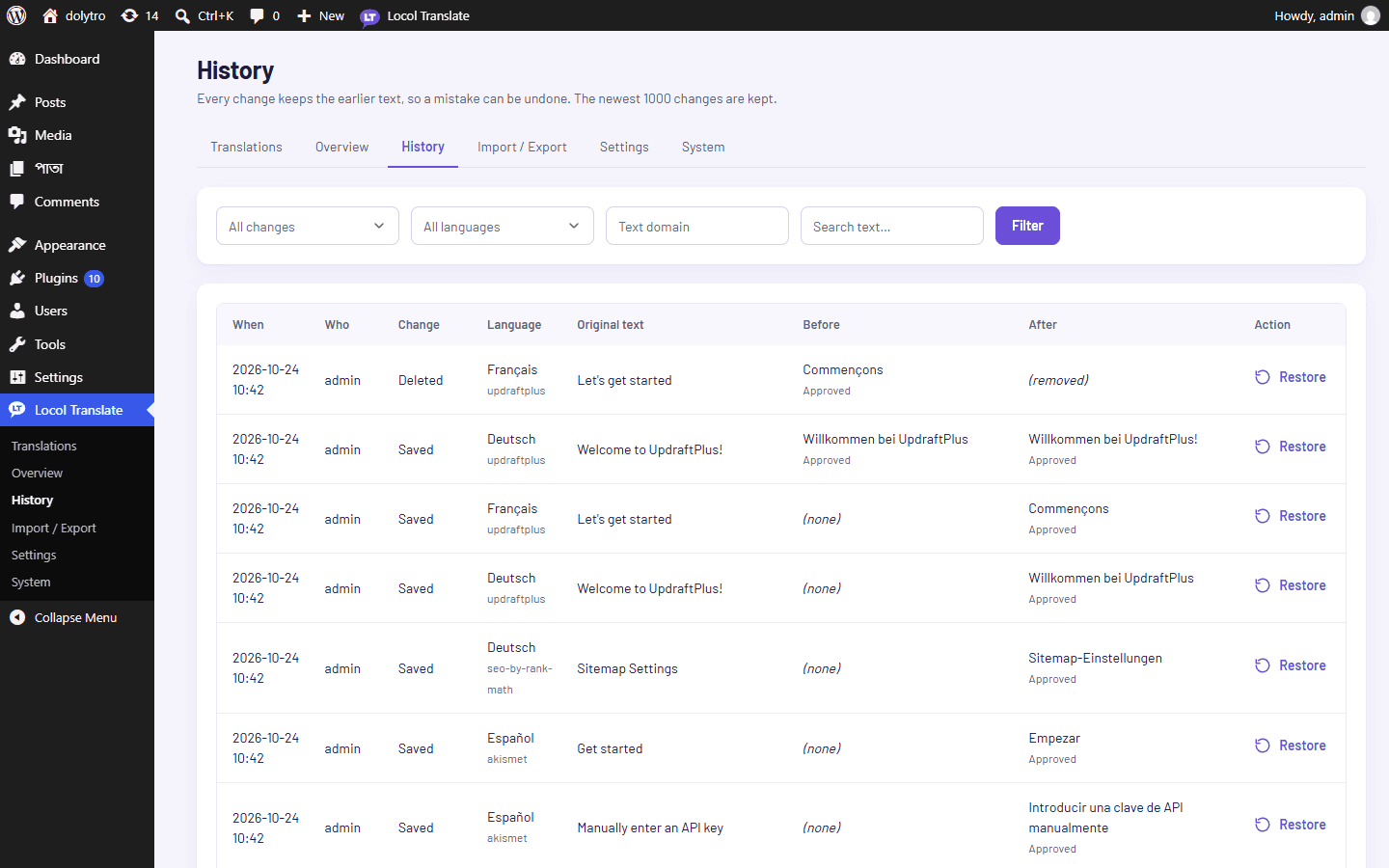
- 1Open History.
Go to Locol Translate, then History.
- 2Find the change.
Search for the text, or filter by language, text domain or action.
- 3Click Restore.
The earlier text is put back, and the restore is recorded as a change too.
A translation you deleted can be brought back the same way.
Clear the history
Administrators can click Clear history. This only removes the record of past changes. Your translations are not changed.
History is also the quickest way to see who changed what and when, before you approve a batch of changes.