Roles and permissions
Who may translate, who may approve, and what stays with administrators.
Three levels
| Level | Who | What they can do |
|---|---|---|
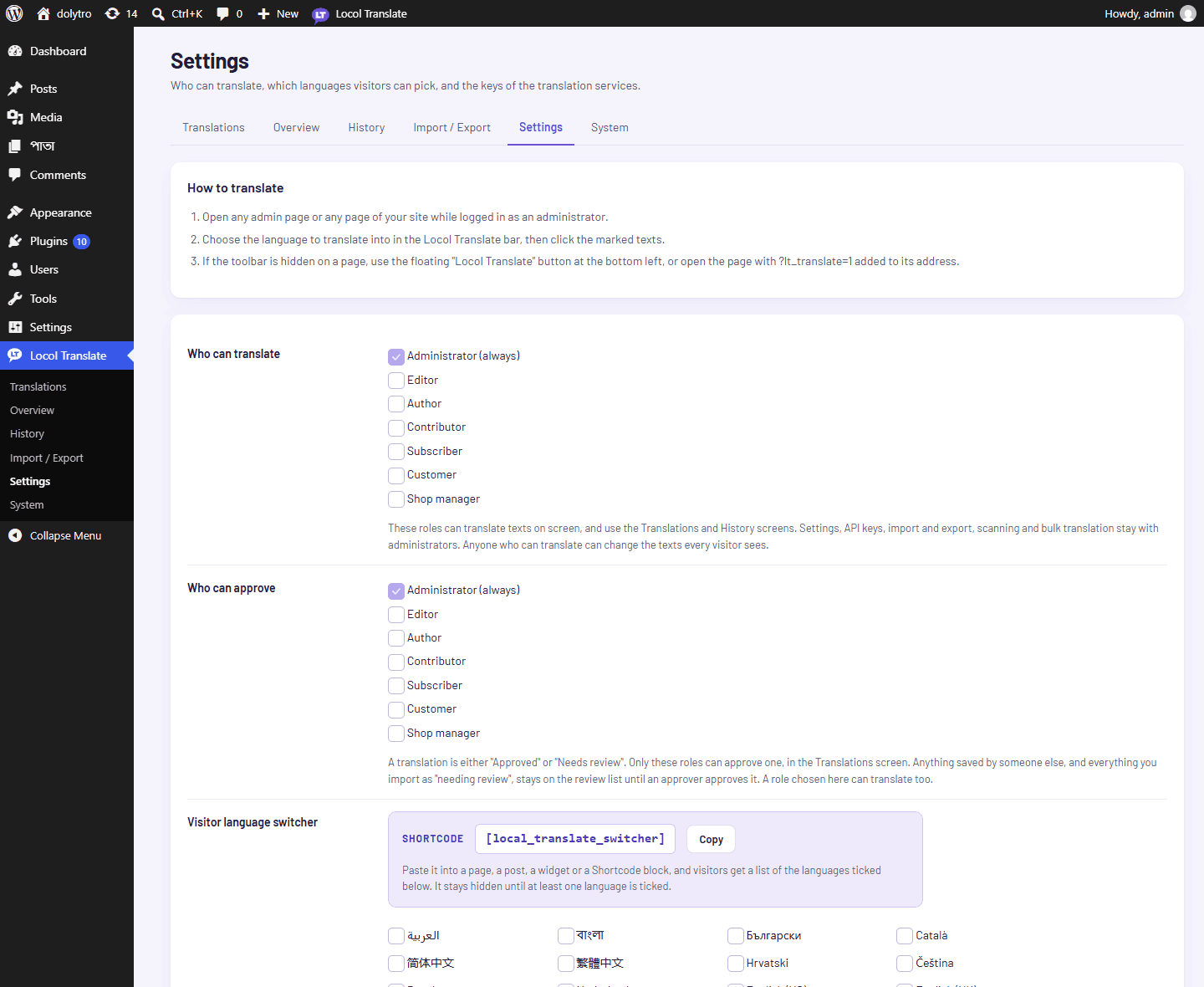
| Translate | Administrators and the roles chosen under Who can translate | Use the on-screen editor, the Translations screen and the History screen |
| Approve | Administrators and the roles chosen under Who can approve | Everything above, and approve translations |
| Manage | Administrators only | Settings, API keys, Import / Export, Overview and scanning, bulk translation, System, and clearing the history |
Anyone who can translate can change the texts every visitor sees. Give the permission to people you trust.
Set it up
- 1Open Settings.
Go to Locol Translate, then Settings.
- 2Choose who can translate.
Tick the roles. Administrators are always allowed.
- 3Choose who can approve.
Tick the roles. A role chosen here can translate too.
- 4Save the settings.
How approval works
A translation saved by someone who cannot approve is marked Needs review. It is used on the site straight away, and it stays on the review list until an approver approves it on the Translations screen. Texts you import with "Mark everything imported as needing a review" wait for an approver in the same way.
Translations saved by an approver are approved, unless the approver ticks Needs review.
Example
A shop has a support editor who translates the screens of one plugin into German.
- 1
The administrator ticks Editor under Who can translate.
- 2
The editor translates and saves. Every row is marked Needs review.
- 3
The administrator, or a role ticked under Who can approve, opens Translations, filters by Needs review and approves the rows.
The Approve button and the Approve bulk action only appear for people who may approve. A request made by hand without the permission is refused.