One language per text
Every text keeps its own language, so one page can mix languages.
How it works
Locol Translate does not switch a whole site from one language to another. You choose a language for each text when you translate it. A text is shown in the language it was last saved in.
On one plugin screen you could translate a heading into Spanish, another into French and a third into German. The screen then shows three languages side by side.
Translate one text into two languages
- 1Open the text.
Turn on translate mode and click the text.
- 2Save the first language.
Choose French, type the translation and click Save.
- 3Save the second language.
Choose Spanish in the same editor, type the translation and click Save.
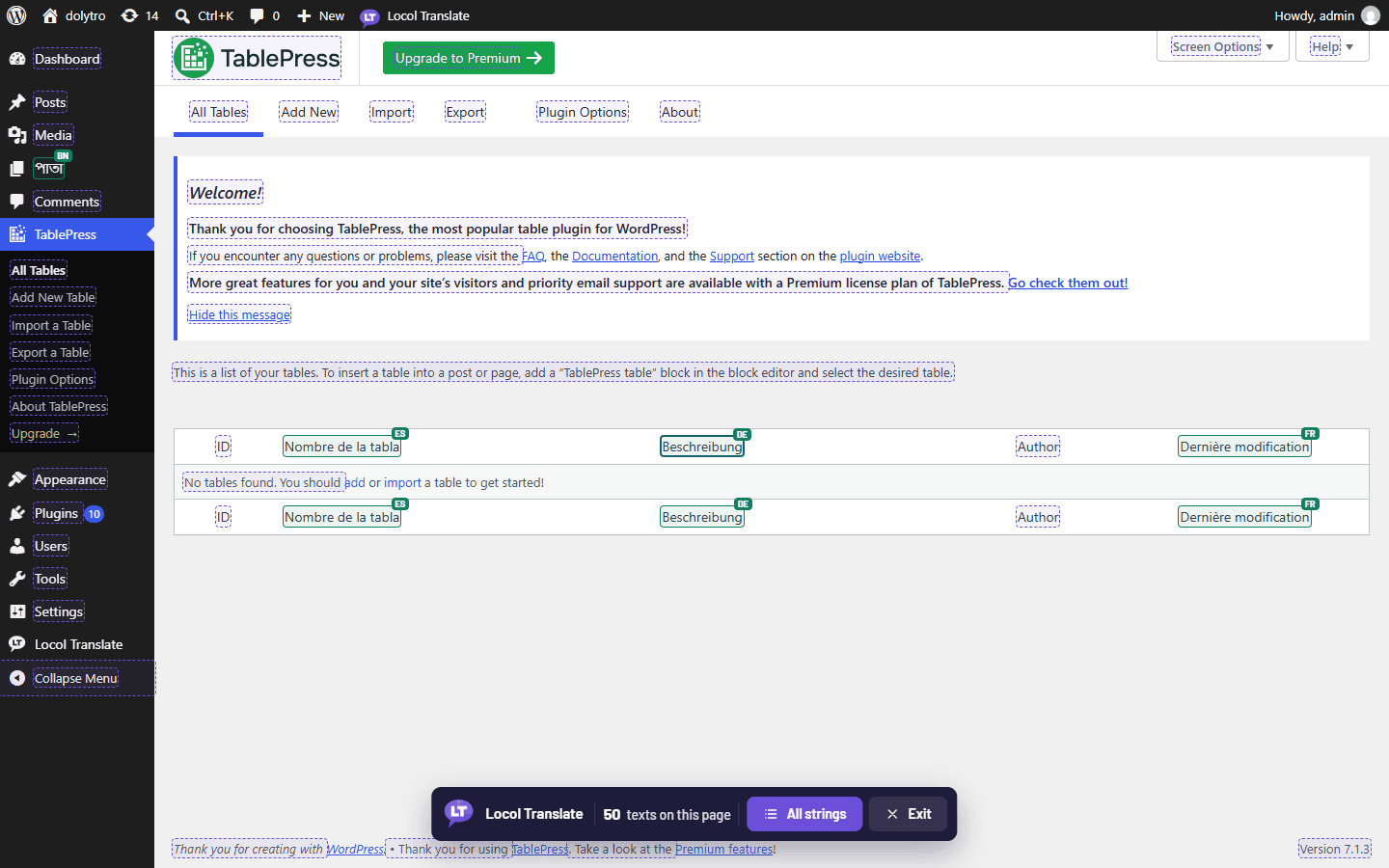
Both translations are kept. The page now shows the Spanish one, because it was saved last. Save the French one again and it becomes the one shown.
What visitors see
By default visitors see each text in the language it was last saved in, the same mixed view you see. If you want visitors to pick a single language, see Switch languages for visitors.
Where the translations are kept
On the Translations screen each translation is one row: the original text, the translation, the language and the plugin or theme. One text translated into two languages has two rows.
Locol Translate assumes the original texts are in the language of the plugin or theme, normally English. The language you translate into is chosen per text.