Review machine drafts
Machine translations are kept as Needs review until an approver approves them.
Needs review
A translation is either Approved or Needs review. Every draft from Generate, and every text saved by "Translate missing", starts as Needs review. It is used on your site straight away, and the label tells you a person has not checked it yet.
Find the drafts
- 1Open Translations.
Go to Locol Translate, then Translations.
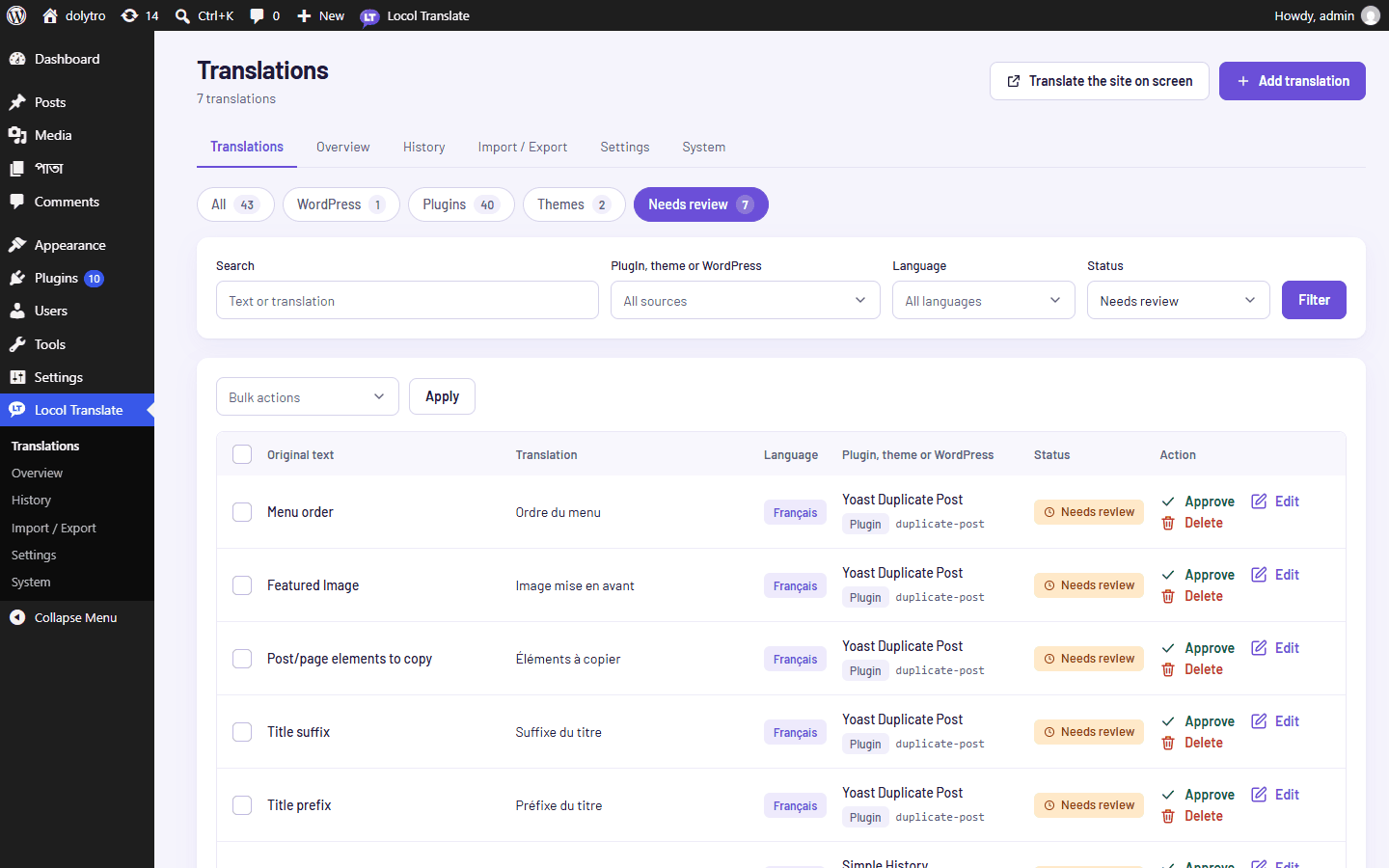
- 2Use the Needs review button.
It shows how many drafts wait. You can also choose a status in the Status filter.
- 3Narrow the list.
Pick a language or a plugin.
Check and approve
- 1Read the translation.
Open Edit to change it, or leave it as it is.
- 2Approve it.
Click Approve on the row. To approve many at once, tick the rows, choose Approve under Bulk actions and click Apply.
Only administrators, and the roles chosen under Settings, can approve. See Roles and permissions.
Translate many missing texts
On the Overview screen, "Translate missing" drafts the texts of a plugin that have no translation in a language yet. Choose how many (10, 25, 50 or 100). It stops after three failures in a row, and you can press Stop at any time. Everything it saves is marked Needs review.
The warning sign next to a translation means a placeholder or an HTML tag differs from the original. Check those first.